
Your cloud provider secures the data center, the network cables, and the physical servers. You secure everything you put on top of them — your applications, your data, your user accounts, and how your team configures it all. That split is the shared responsibility model in cloud security, and misunderstandings about where the line falls are behind a huge share of real cloud breaches. This guide explains the model in plain language, with concrete “who patches what” scenarios so you can apply it to your own stack.
The confusion is understandable. When you move to the cloud, it feels like security is outsourced. The provider runs the infrastructure, so surely they handle the security too? They handle some of it — and exactly which some depends on the service. The model is the contract: the provider secures the cloud itself, you secure what you run in it.
What is the shared responsibility model in cloud security?
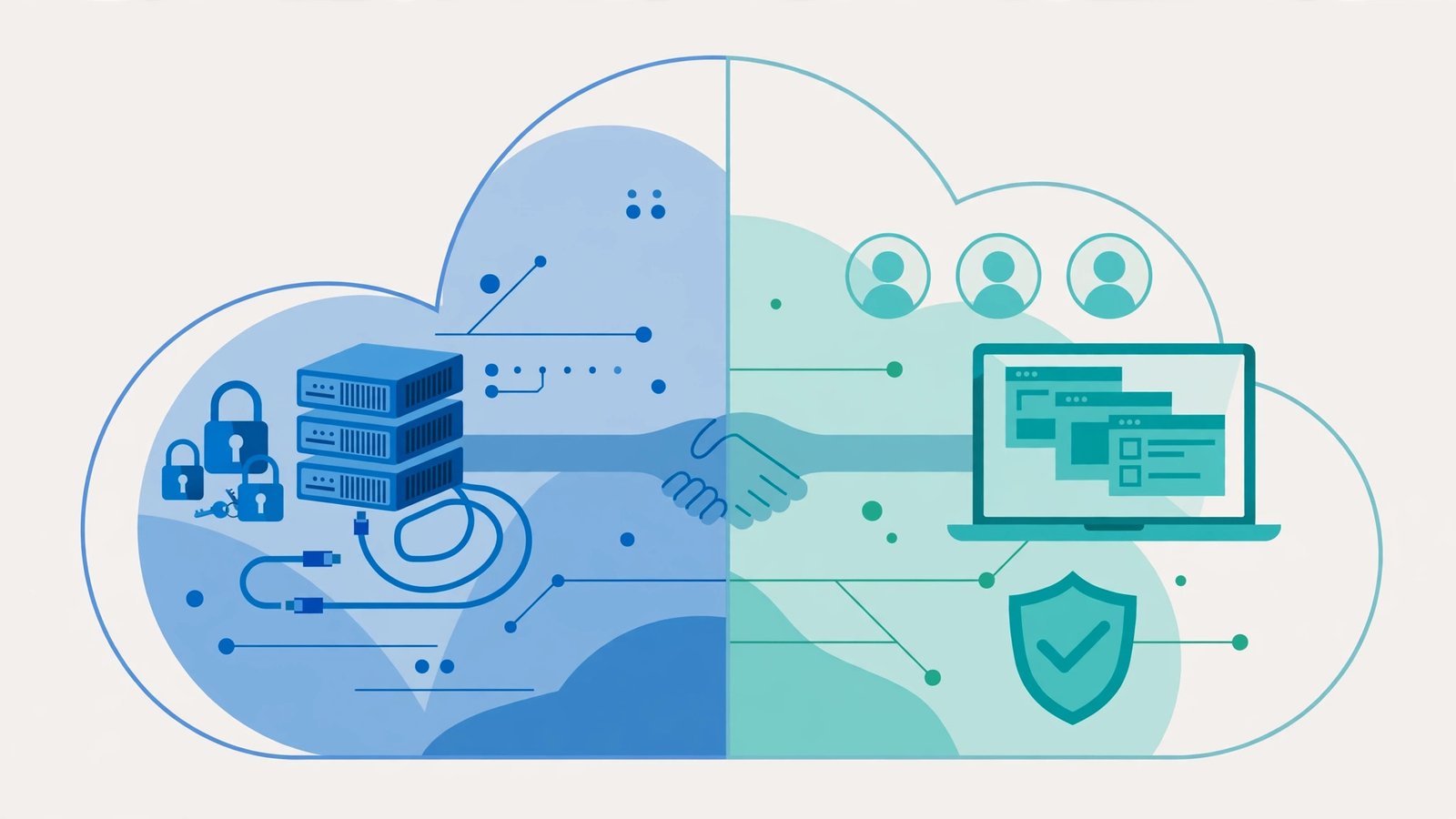
The shared responsibility model is the division of security duties between a cloud provider (AWS, Azure, or Google Cloud) and the customer. The provider owns the lower layers — physical data centers, hardware, the networking fabric, the virtualization layer. The customer owns their data, their accounts, and how they configure the services they use.
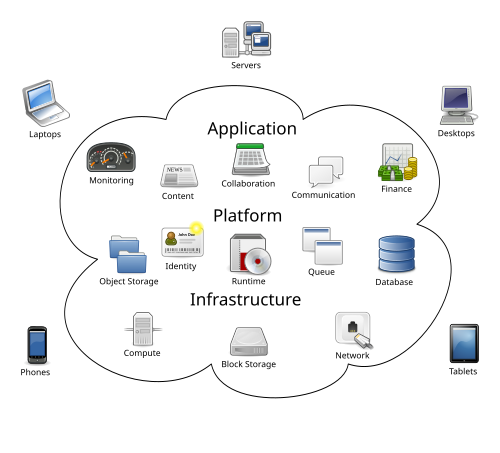
The most important detail: the split moves depending on the service type. All three providers draw the same basic picture:
- Infrastructure as a Service (IaaS) — e.g., EC2 virtual machines, Azure VMs, Compute Engine. The provider secures the physical and virtual infrastructure. You handle the guest operating system and everything above it: patching the OS, configuring the firewall, hardening the application, managing logins.
- Platform as a Service (PaaS) — e.g., AWS RDS, Azure App Service, Google App Engine. The provider takes on more: they patch the operating system and the platform itself. You still own your data, your application code, and your access controls.
- Software as a Service (SaaS) — e.g., Microsoft 365, Google Workspace, Salesforce. The provider secures nearly the whole stack. You’re left with the smallest — but most dangerous — slice: user accounts, permissions, and data classification.
Notice the pattern: the higher up the stack you go, the more the provider handles. But “more” never means “all.” In every model, three responsibilities are always yours: your data, your identities, and your configurations.
“Who patches what?” — concrete scenarios across AWS, Azure, and GCP
The model clicks when you stop thinking in abstractions and start with a scenario. Here are three, one per cloud, showing exactly where the line falls.
Scenario 1: A web app on an AWS EC2 instance (IaaS). AWS secures the physical host, the hypervisor, and the EC2 service itself. You patch the guest OS, configure the security groups (the virtual firewall around the instance), manage SSH keys, harden the application code, and protect any customer data. If a dependency vulnerability hits your app, AWS won’t patch it — you will. If you leave port 22 open to the internet, that’s your misconfiguration, not theirs.
Scenario 2: A database on Azure SQL Database (PaaS). Microsoft patches the OS and SQL engine, handles infrastructure backups, and secures the data center. You own the database firewall rules, the logins and permissions inside the database, and the data itself. A classic real-world mistake: leaving the default “allow all Azure IPs” rule with weak credentials, then being surprised when it was brute-forced. PaaS removed the OS-patching burden, but the front door is still yours to lock.
Scenario 3: A team drive on Google Workspace (SaaS). Google secures the infrastructure, the application, and the authentication backend. You own who has access to what, whether sharing links are set to “anyone with the link,” and what data your team puts in the drive. The classic breach here isn’t a hack of Google — it’s a sensitive spreadsheet shared with a public link. In SaaS, the provider’s security is excellent; the customer’s configuration is where almost every incident starts.
One more subtlety: managed services shift patching, not accountability. When you use RDS instead of a self-managed database, you stop patching the database engine — but you still answer for the data if it’s exposed through a misconfiguration you made. Offloading a task is not offloading responsibility.
The responsibilities that are always yours, no matter the service
Strip away the per-service differences and three duties never leave your hands:
1. Your data. Encryption, classification, backups, and retention are always the customer’s job. The provider gives you the tools (KMS, customer-managed keys, backup services); deciding what matters and protecting it is on you. The provider can’t tell your trade secrets from test data, so it can’t protect them for you.
2. Your identities and access. Who can log in, what they can touch, and whether multi-factor authentication is enforced — the single most breached part of the model. Credential theft and over-permissioned accounts cause more cloud incidents than infrastructure exploits by a wide margin. The provider builds IAM systems; you must actually use them correctly.
3. Your configurations. Firewall rules, storage bucket permissions, network routing, logging — the knobs and dials of your cloud setup are yours. Industry data consistently shows misconfiguration, not provider compromise, as the leading cause of cloud breaches. The infrastructure is secure by default; the configuration is only secure if you make it so.
The costly myth: “my provider handles security”
Here’s the original angle worth sitting with: the model fails most often not as a technical concept but as an organizational assumption. Small teams read “shared” and hear “the provider handles the hard parts,” then under-invest in exactly the three duties above. Two failure patterns I see repeatedly:
The startup that treated AWS like a managed host. They ran everything on EC2, assumed Amazon “secured the cloud,” and never patched their AMIs, never rotated access keys, and left an old developer’s IAM user active for two years. When a leaked key turned up in a public GitHub repo, the attacker didn’t break into AWS — they walked in through an account the team had forgotten existed. The provider’s side of the model was flawless. The customer’s side was empty.
The company that thought compliance certifications covered them. “AWS is SOC 2 and ISO 27001 certified, so we’re compliant” is a dangerously wrong sentence. Provider certifications cover the provider’s controls — your half of the model still needs its own evidence. Auditors know this; teams learn it the expensive way during their first real audit.
The fix is a one-page exercise for every small team: draw the line for your actual services. List what you run, note whether each is IaaS/PaaS/SaaS, and write down — for each — exactly which patches, accounts, and configurations belong to you. It takes an afternoon and it kills the assumption problem permanently.
How the model applies to compliance
One reason the model matters beyond daily security is compliance. Frameworks like HIPAA, PCI DSS, and SOC 2 don’t accept “our provider is certified” for your obligations — they require you to demonstrate your own controls. Providers publish responsibility matrices mapping each control to provider or customer; before an audit, check that every customer-side control for the services you use has an owner on your team. Finding gaps in a spreadsheet beats finding them in an auditor’s report.
Frequently asked questions
What is the shared responsibility model in simple terms?
It’s the security split between you and your cloud provider: the provider secures the cloud itself (data centers, hardware, core services), while you secure what you put in it (your data, accounts, applications, and configurations). The exact split shifts with IaaS, PaaS, and SaaS, but your data, identities, and configurations are always yours.
Does the shared responsibility model mean my data is safe in the cloud?
Not automatically. The provider protects the infrastructure your data sits on, but encryption, access control, and storage permissions are yours. Most cloud data exposures come from customer-side misconfigurations, not provider breaches.
Who is responsible for patching?
It depends on the service. In IaaS (like EC2), you patch the guest OS and applications. In PaaS (like RDS), the provider patches the platform while you handle your application code. In SaaS, the provider patches nearly everything. Your data and configurations are always yours.
Is AWS responsible if my S3 bucket is exposed publicly?
No — that’s yours. AWS secures the S3 service itself, but bucket policies, access controls, and Block Public Access settings are customer configurations. Public buckets are one of the most common cloud incidents precisely because teams assume the provider handles it.