Cloud computing has revolutionized the way people and businesses store data, run applications, and access computing resources. Instead of relying on physical computers or on-site servers, cloud computing delivers services such as storage, software, databases, and processing power over the internet. This technology allows users to work from virtually anywhere while reducing the need for expensive hardware.
Understanding how cloud computing works can help individuals and businesses make better use of modern digital services and improve productivity.
What Is the Cloud?
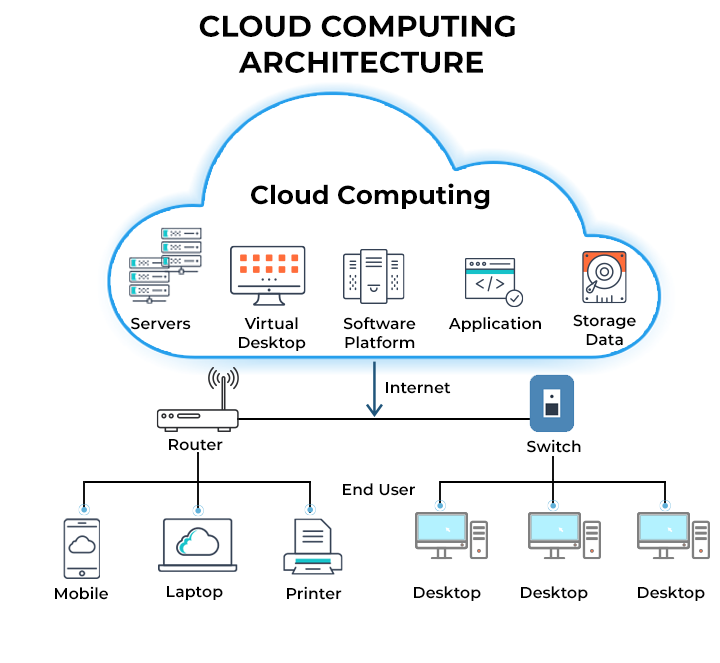
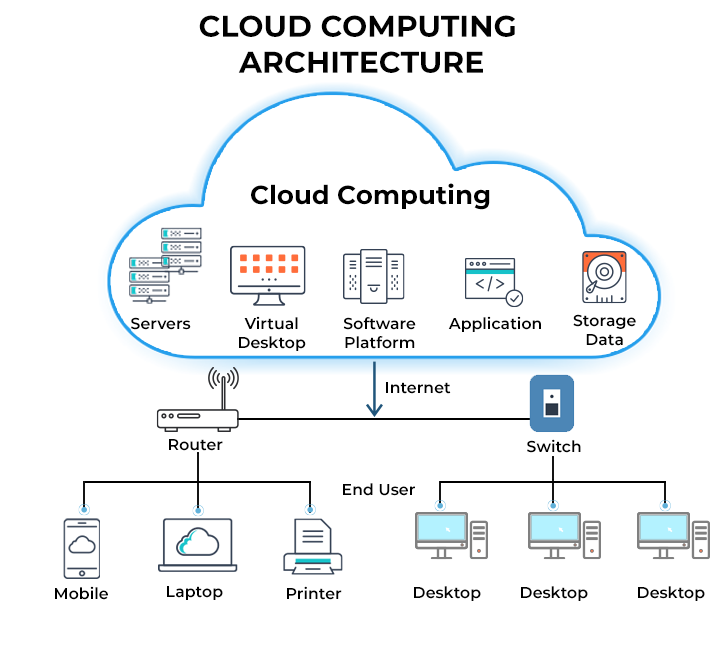
The “cloud” refers to a network of remote servers located in secure data centers around the world. These servers are connected to the internet and are designed to store data, run applications, and process information on behalf of users.
When you use a cloud service, your files and applications are stored on these remote servers instead of your personal computer. You can then access them from any compatible device with an internet connection.
How Cloud Computing Works
Cloud computing follows a simple process that happens within seconds.
1. User Sends a Request
Everything begins when a user opens a cloud-based application or accesses an online service. For example, opening a document stored in Google Drive or uploading photos to cloud storage sends a request through the internet.
2. The Request Reaches Cloud Servers
The request is received by powerful servers hosted in secure data centers. These servers are managed by cloud service providers and are designed to handle millions of requests simultaneously.
3. Data Processing
The cloud server processes the user’s request. It may retrieve stored files, perform calculations, run software, or update databases depending on the requested action.
4. Results Are Delivered
Once the task is complete, the server sends the results back to the user’s device. This process is so fast that users usually experience little to no delay.
Main Components of Cloud Computing
Several key components work together to deliver cloud services efficiently.
Data Centers
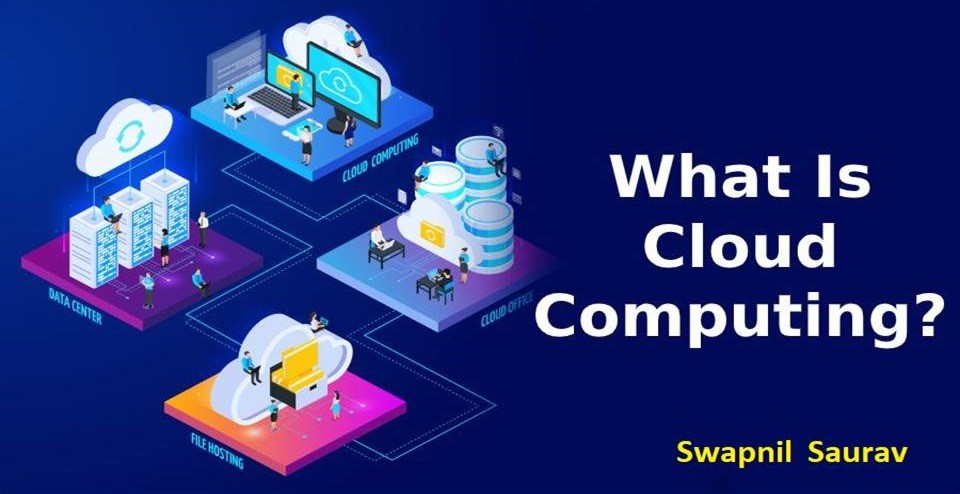
Cloud providers operate large data centers containing thousands of servers. These facilities are equipped with advanced cooling systems, backup power supplies, and high-speed internet connections to ensure reliable performance.
Servers
Servers are powerful computers responsible for storing data, hosting applications, and performing complex computing tasks for users.
Internet Connection
An internet connection acts as the bridge between users and cloud services. Without internet access, cloud-based resources cannot be reached.
Virtualization
Virtualization is one of the core technologies behind cloud computing. It allows a single physical server to run multiple virtual machines, making better use of hardware resources and improving efficiency.
Types of Cloud Services
Cloud computing provides different service models to meet various needs.
Infrastructure as a Service (IaaS)
IaaS offers virtual servers, networking, and storage. Businesses can build and manage their own applications without purchasing physical hardware.
Platform as a Service (PaaS)
PaaS provides developers with a complete platform to build, test, and deploy applications without managing the underlying infrastructure.
Software as a Service (SaaS)
SaaS delivers software through a web browser. Users simply log in and use the application without installing or maintaining it locally.
Benefits of How Cloud Computing Works
Cloud computing offers several advantages that have made it a preferred choice for businesses and individuals.
- Access files and applications from anywhere with an internet connection.
- Reduce hardware and maintenance costs.
- Easily increase or decrease resources as demand changes.
- Improve collaboration by allowing multiple users to work on the same files.
- Protect data with automatic backups and disaster recovery options.
- Receive regular software updates and security improvements from cloud providers.
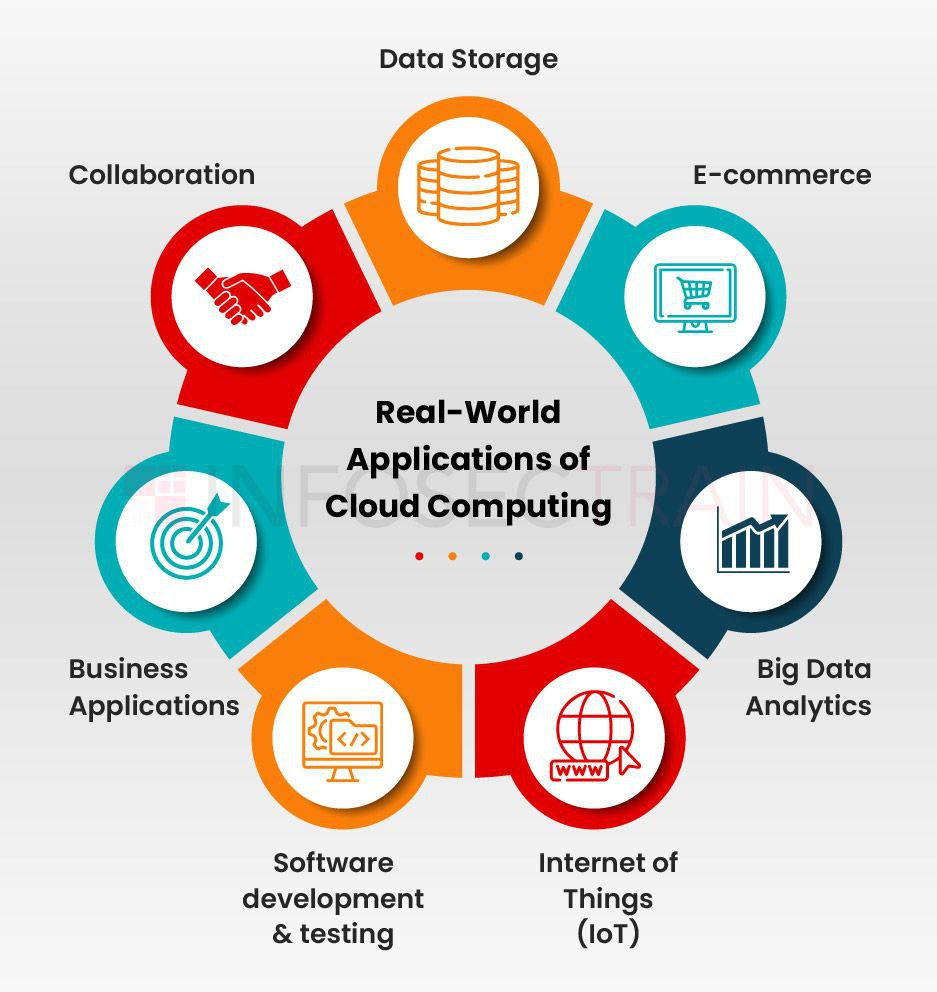
Everyday Examples of Cloud Computing
Many popular online services rely on cloud computing.
- Storing documents in Google Drive or OneDrive.
- Streaming movies and TV shows on Netflix.
- Using online office applications.
- Saving photos to cloud storage.
- Hosting websites on cloud servers.
- Running business software through a web browser.
These examples show how cloud computing has become part of everyday life.
Challenges of Cloud Computing
Although cloud computing offers many benefits, it also has some limitations.
A stable internet connection is required to access cloud services. Businesses should also pay attention to data security, privacy regulations, and service reliability when choosing a cloud provider. Managing cloud costs is equally important, especially as usage grows.
Conclusion
Cloud computing works by using remote servers connected through the internet to store data, run applications, and deliver computing services on demand. By eliminating the need for expensive local infrastructure, it provides greater flexibility, scalability, and convenience for users around the world. As technology continues to evolve, cloud computing will remain a cornerstone of digital innovation, supporting everything from personal file storage to large-scale business operations.