Cloud storage has become an essential tool for individuals, businesses, students, and professionals who need secure and convenient access to their files. Whether you’re backing up important documents, sharing files with colleagues, or storing thousands of photos and videos, choosing the right cloud storage service can improve productivity and protect your valuable data.
With many providers offering different features, storage capacities, and pricing plans, selecting the best option can be challenging. This guide highlights some of the best cloud storage services in 2026 and explains what makes each one stand out.
What Is a Cloud Storage Service?
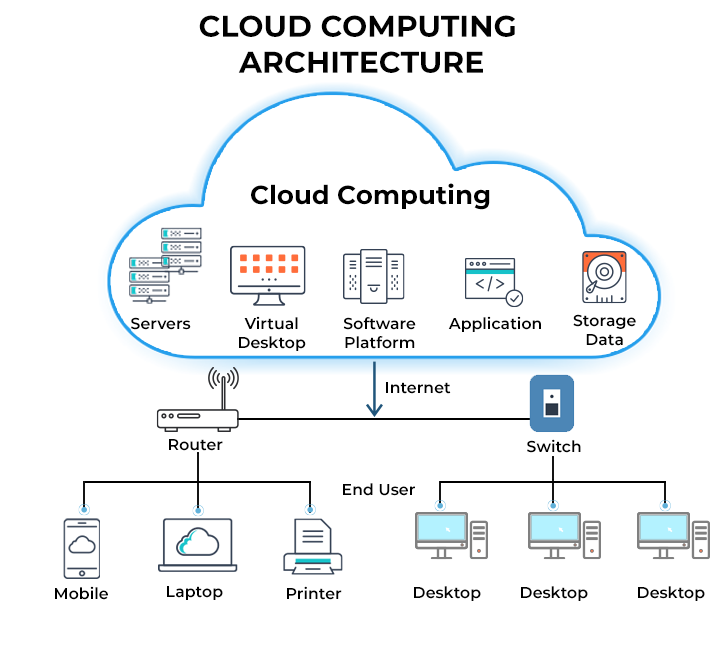
A cloud storage service allows users to store digital files on secure remote servers that can be accessed through the internet. Instead of relying only on a computer’s hard drive or external storage device, users can save files online and access them from multiple devices.
Most cloud storage providers also offer features such as file sharing, automatic backups, synchronization, collaboration tools, and data encryption.
1. Google Drive
Google Drive is one of the most popular cloud storage services worldwide. It integrates seamlessly with Google Docs, Sheets, Slides, and Gmail, making it an excellent choice for students, professionals, and businesses.
Key Features
- Easy file sharing
- Real-time collaboration
- Automatic synchronization
- Access from any device
- Integration with Google’s productivity apps
Best For
- Students
- Remote teams
- Personal file storage
- Small businesses
2. Microsoft OneDrive
Microsoft OneDrive is designed for users who work with Microsoft Office applications. It integrates directly with Word, Excel, PowerPoint, and Windows, making document management simple and efficient.
Key Features
- Built-in Windows integration
- Automatic file backup
- Real-time collaboration
- Secure file sharing
- Office application support
Best For
- Windows users
- Business professionals
- Microsoft 365 subscribers
3. Dropbox
Dropbox is known for its simplicity, fast synchronization, and reliable file-sharing capabilities. It remains one of the most trusted cloud storage platforms for individuals and businesses.
Key Features
- Fast file syncing
- File version history
- Team collaboration tools
- Easy folder sharing
- Cross-platform support
Best For
- Freelancers
- Creative professionals
- Small businesses
- Remote teams
4. Apple iCloud
Apple iCloud provides seamless cloud storage for users within the Apple ecosystem. It automatically syncs photos, contacts, documents, and device backups across iPhones, iPads, and Mac computers.
Key Features
- Automatic device backup
- Photo synchronization
- File sharing
- Apple device integration
- Secure cloud storage
Best For
- iPhone users
- Mac users
- Apple ecosystem users
5. Box
Box is a cloud storage platform focused on businesses and enterprise collaboration. It offers advanced security features, workflow automation, and document management tools.
Key Features
- Enterprise-grade security
- Team collaboration
- Workflow automation
- File management
- Compliance support
Best For
- Large organizations
- Enterprise businesses
- Corporate document management
6. Sync.com
Sync.com is a privacy-focused cloud storage provider known for its strong security features. It offers end-to-end encryption, ensuring that only authorized users can access stored files.
Key Features
- End-to-end encryption
- Secure file sharing
- Automatic backups
- Version history
- Privacy-focused design
Best For
- Privacy-conscious users
- Small businesses
- Professionals handling sensitive data
7. pCloud
pCloud is a flexible cloud storage service offering lifetime storage plans and strong security features. It supports file synchronization, media streaming, and encrypted storage.
Key Features
- Lifetime storage options
- File synchronization
- Media playback
- Secure file sharing
- Cross-device access
Best For
- Personal users
- Media storage
- Long-term cloud storage
Factors to Consider When Choosing Cloud Storage
Before selecting a cloud storage provider, consider the following factors:
Storage Capacity
Choose a provider that offers enough storage for your current needs while allowing room for future growth.
Security
Look for features such as encryption, multi-factor authentication, secure file sharing, and regular security updates.
Ease of Use
A user-friendly interface makes uploading, organizing, and sharing files much easier.
Device Compatibility
Ensure the service supports your operating system and devices, including Windows, macOS, Android, and iOS.
Collaboration Features
If you work with a team, choose a provider that offers real-time collaboration, version history, and shared folders.
Pricing
Compare free storage limits, subscription plans, and additional storage costs before making a decision.
Benefits of Cloud Storage Services
Using cloud storage provides several advantages:
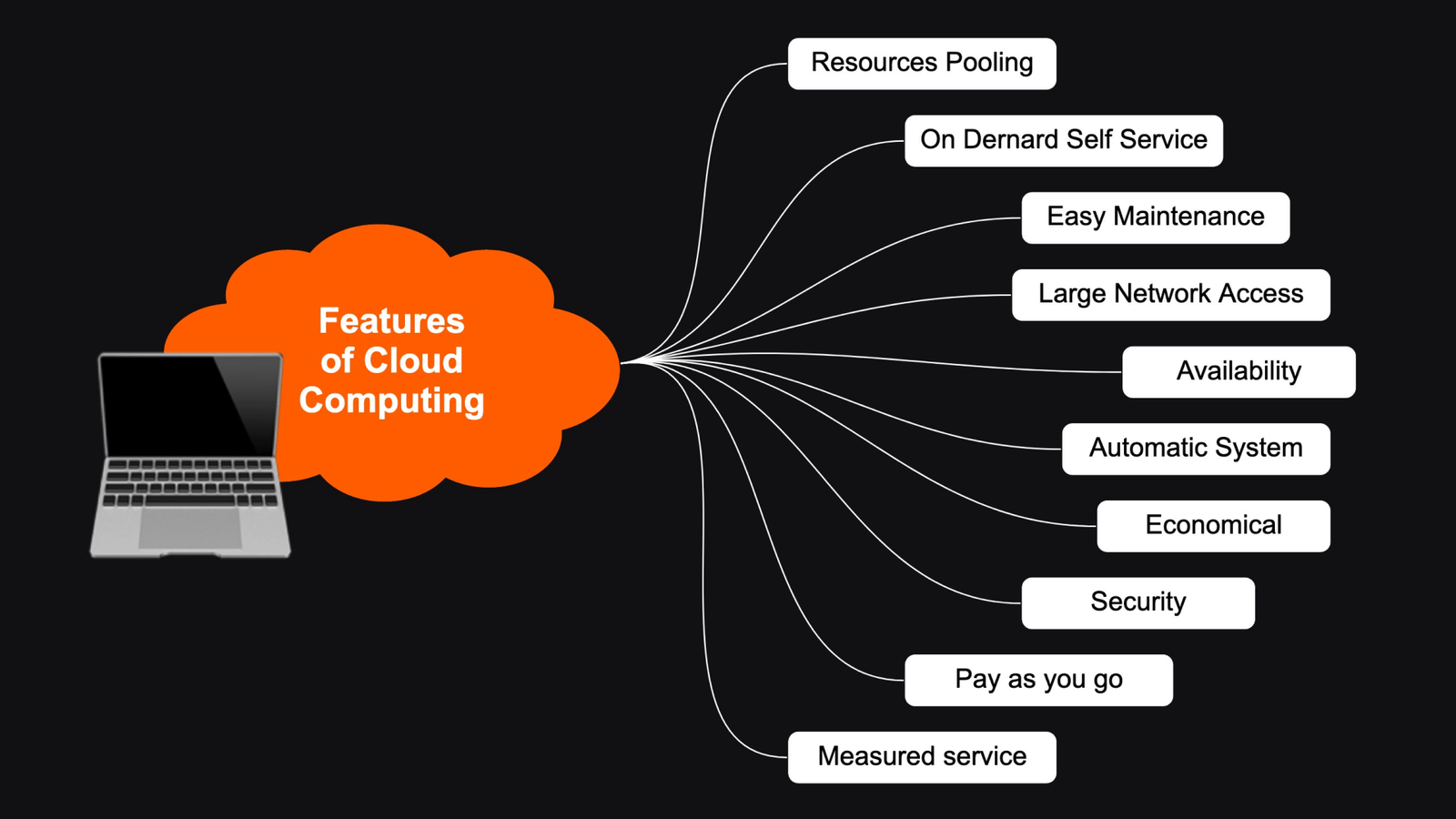
- Access files from anywhere
- Automatic file synchronization
- Secure online backup
- Easy collaboration
- Reduced risk of data loss
- Flexible storage options
- Automatic software updates
- Improved productivity
These benefits make cloud storage an essential tool for both personal and professional use.
Which Cloud Storage Service Is Best?
The best cloud storage service depends on your specific needs.
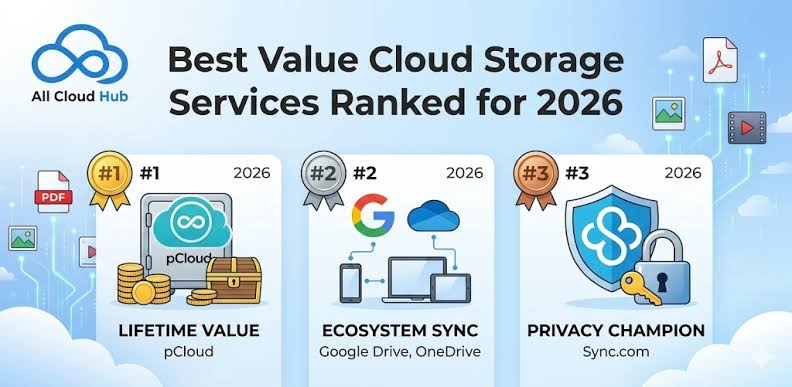
- Google Drive is excellent for collaboration and productivity.
- Microsoft OneDrive is ideal for Windows and Microsoft Office users.
- Dropbox is known for fast synchronization and simple file sharing.
- Apple iCloud works best for users within the Apple ecosystem.
- Box is designed for enterprise collaboration and document management.
- Sync.com is a strong choice for users who prioritize privacy and security.
- pCloud offers flexible storage plans and reliable long-term file storage.
Each service has unique strengths, so choosing the right one depends on your workflow, devices, budget, and security requirements.
Conclusion
Cloud storage services have made it easier than ever to store, access, and share digital files securely. Whether you’re an individual looking for convenient file backup or a business managing large amounts of data, there is a cloud storage solution to meet your needs. By comparing storage capacity, security features, collaboration tools, and pricing, you can choose a service that supports your personal or professional goals while keeping your data safe and accessible from anywhere.